
Learn
Learn math & physics
Learn is NovaMath’s onboarding hub: paths for Learn Math → Learn Physics → write formulas when needed, plus how-tos, lab screenshots, and featured articles. Built for first visits that should start with learning—not a tool dump.
Start here
Three learning paths
See first, then write. Pick a track—math visuals, physics labs, or equation tools when you need clean formulas.
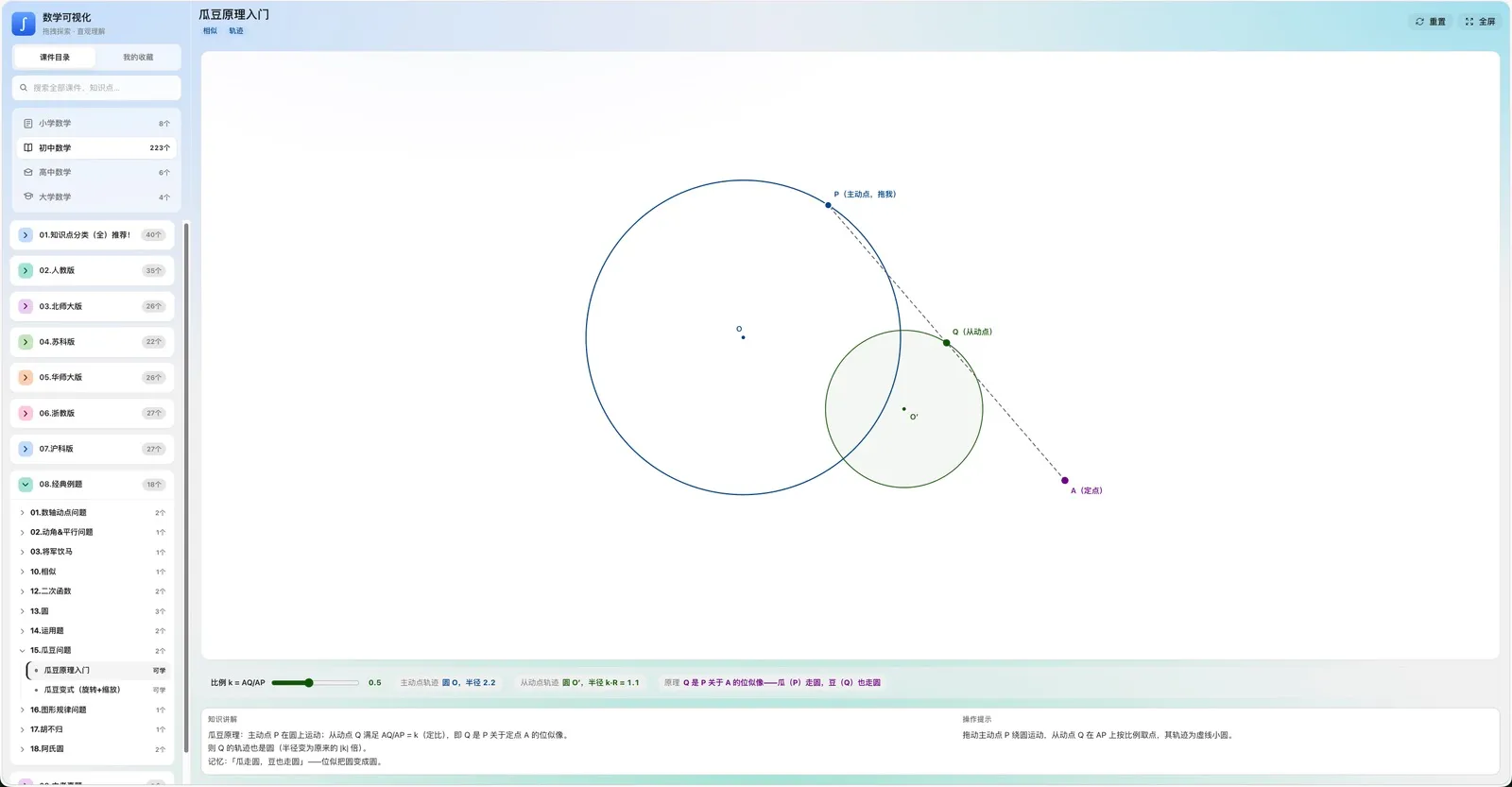
Learn mathematics
Pick a topic pillar—algebra, geometry, functions, calculus—then open interactives and drag parameters until the relationship feels obvious.
Open math hub →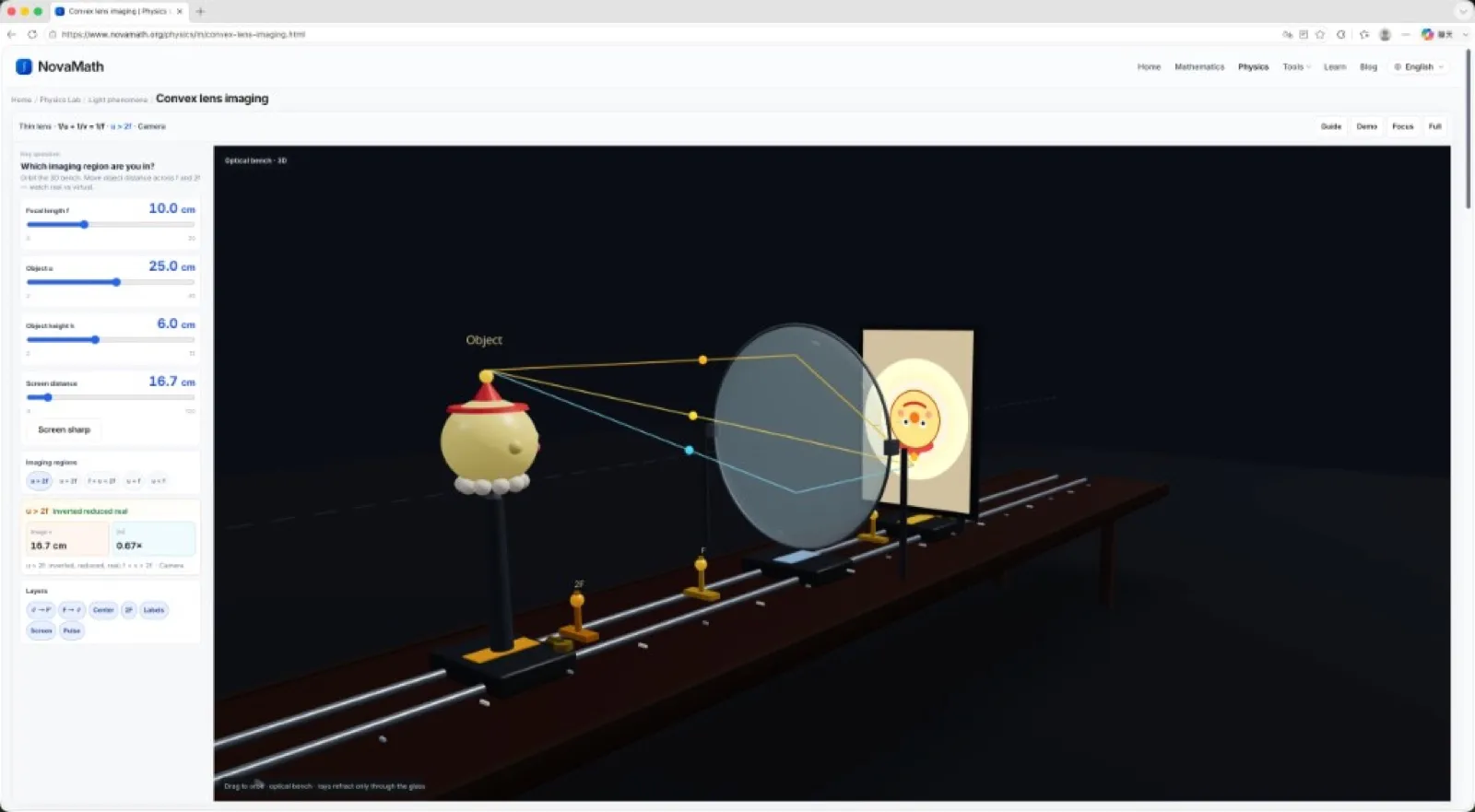
Learn physics
Browse labs by topic—optics, pressure, buoyancy, waves—tune conditions and read live values against the formula. Polished Ready labs and MVP sketches are both open.
Open Physics Lab →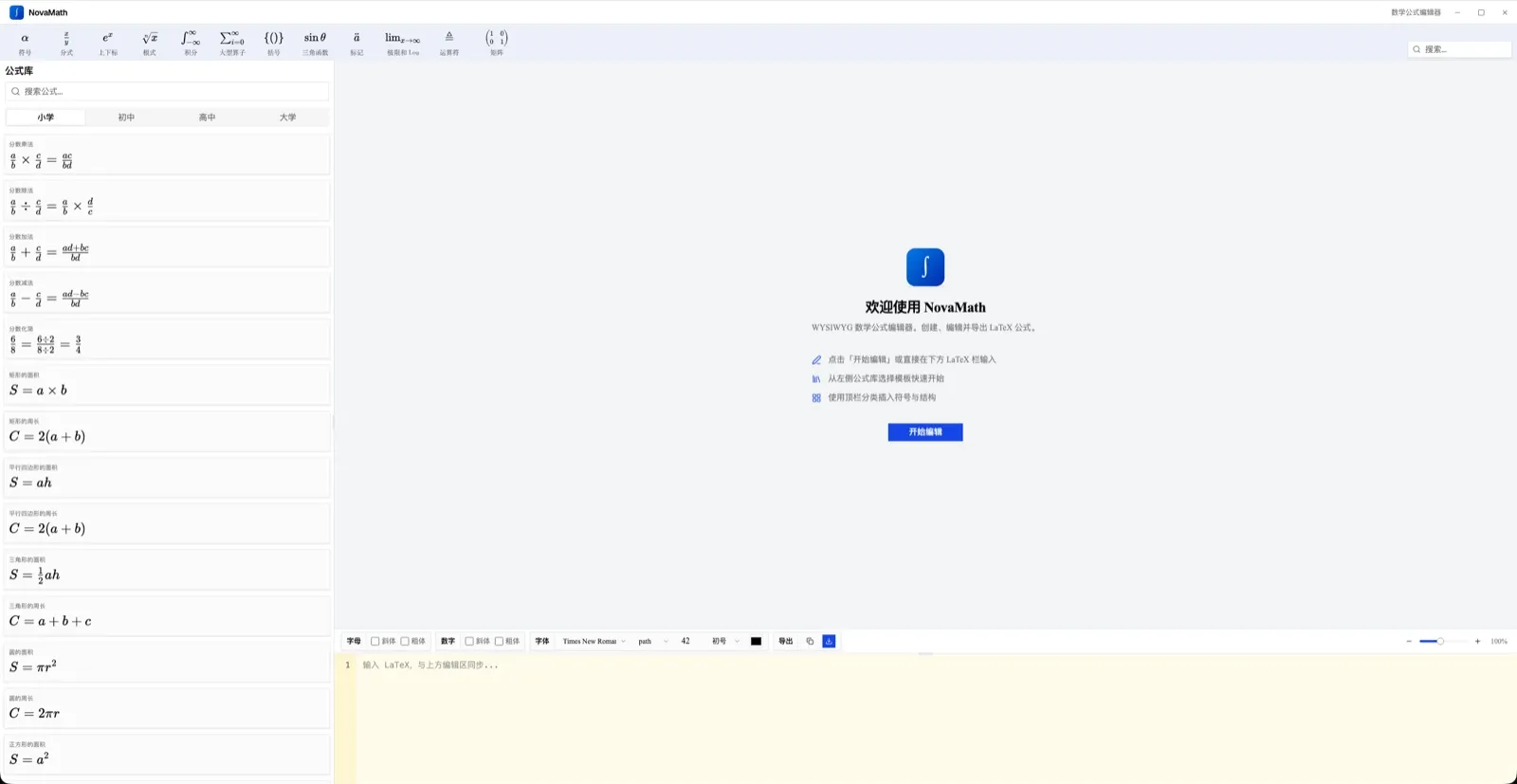
Write formulas when needed
After you understand the idea, open the equation editor or symbol sheet to write clean LaTeX for homework, slides, and notes.
Open equation editor →
Open a lab
Featured physics experiments
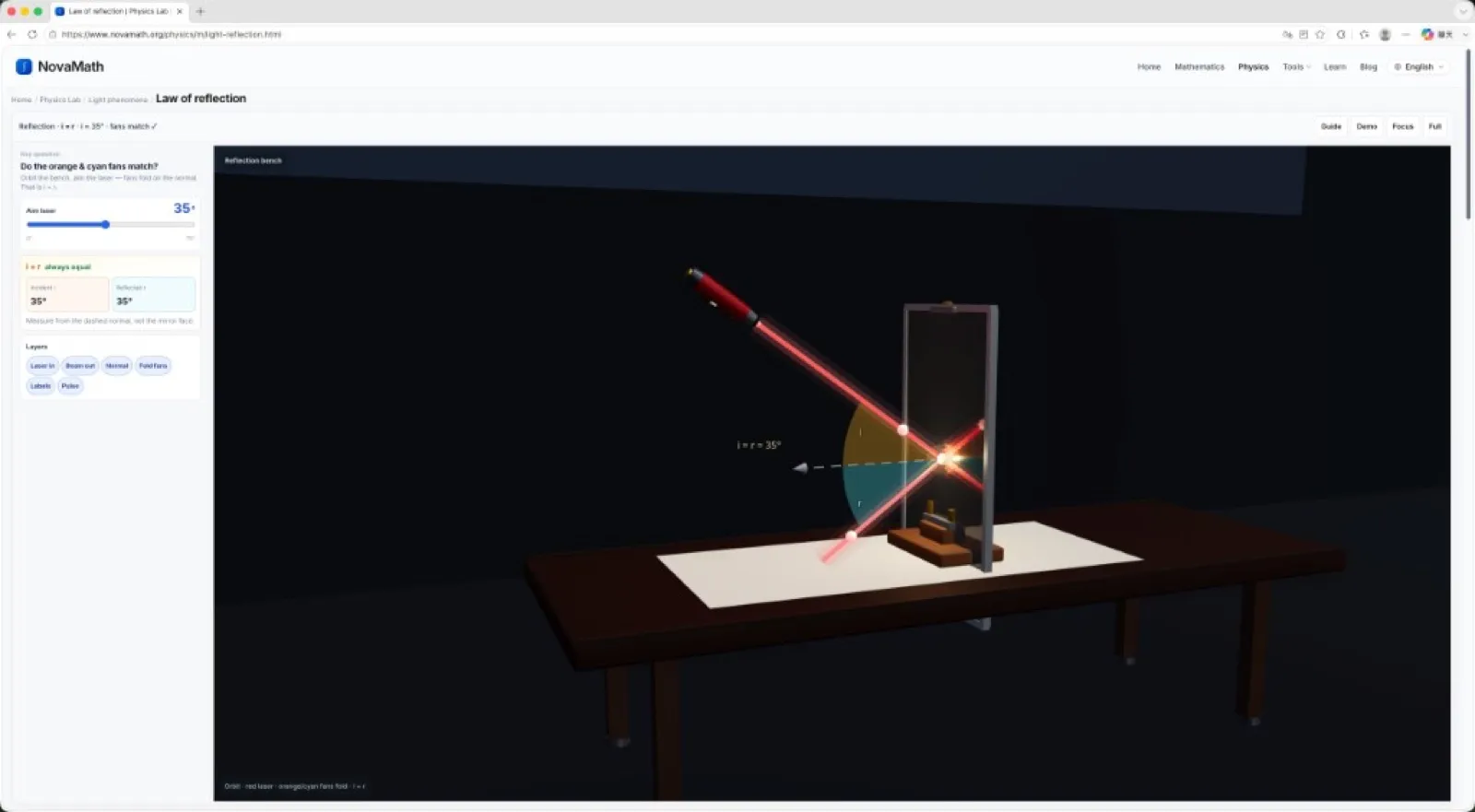
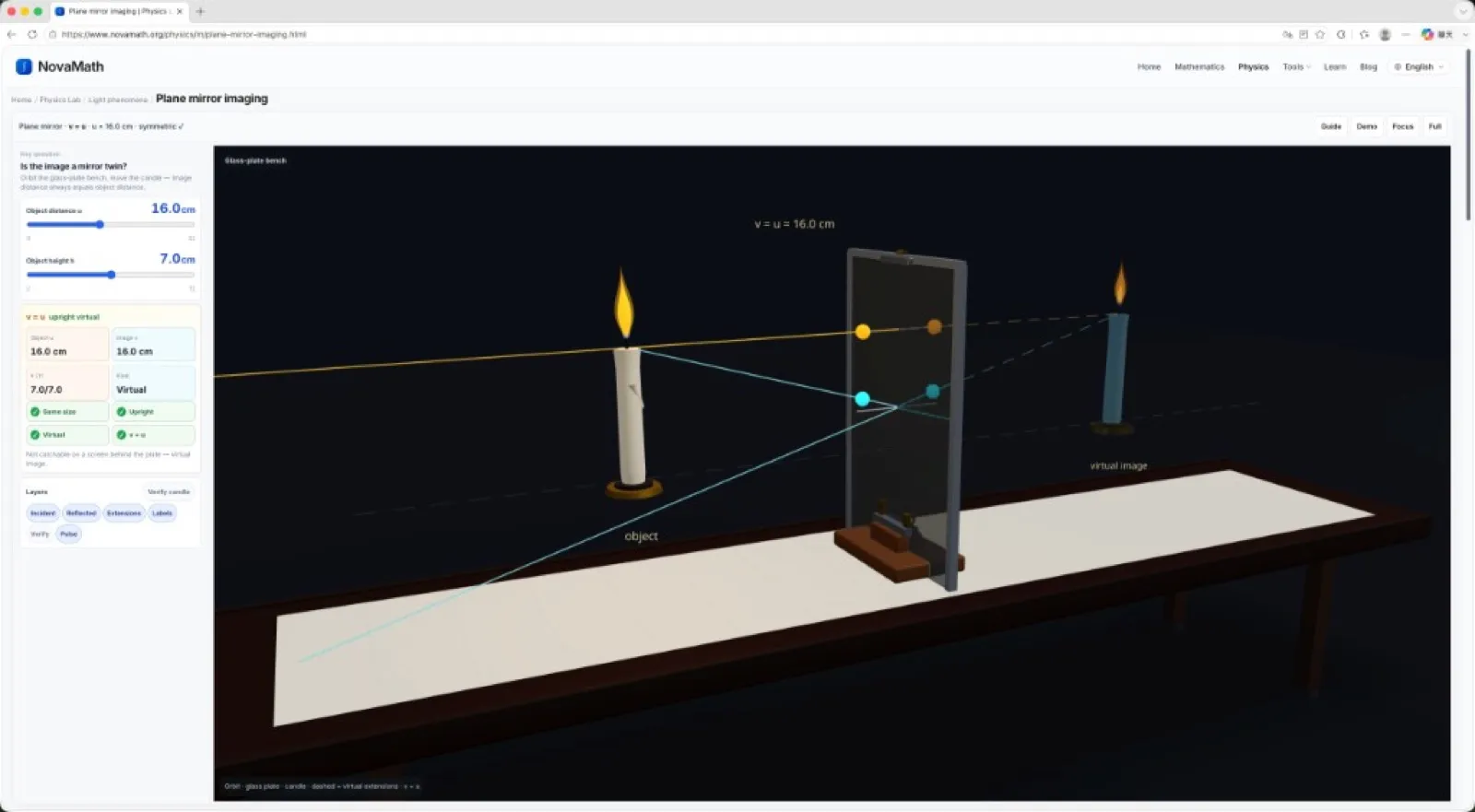
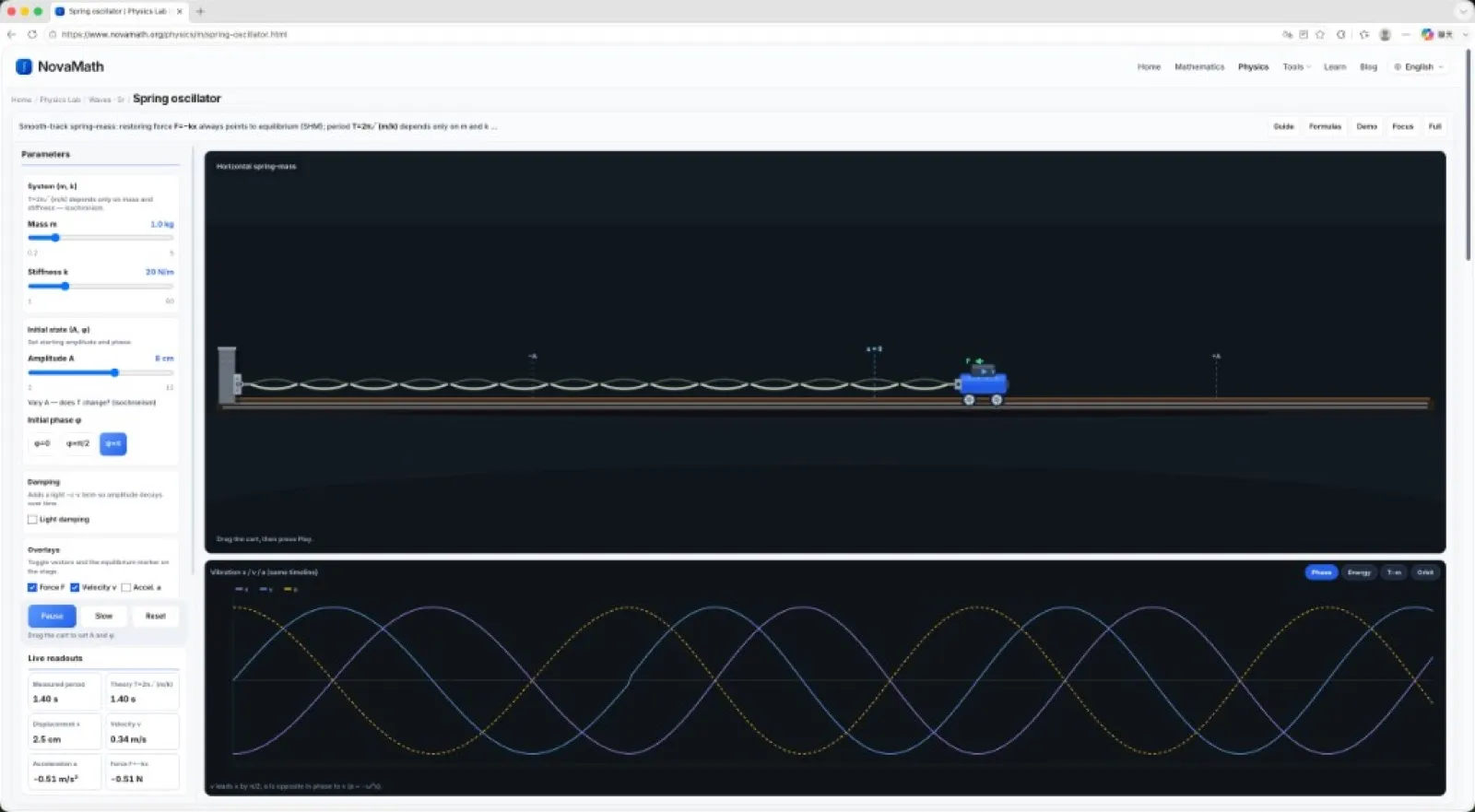
Full lab UI in the browser—tune parameters, read live values, and match the formula. More labs (including MVP sketches) live in Physics Lab.
How-to
Practical guides by topic
Search-style how-tos grouped so you can scan and jump.
Explore mathematics
Topic hubs and interactives for graphs and geometry.
How to draw function graphs
Open the graphing tools and drag parameters to see curves move.
Explore functions interactively
Topic hub for function graphs, transformations, and classroom demos.
Interactive geometry demos
Classic constructions and locus ideas you can drag in the browser.
Limits & derivatives intuition
Build calculus intuition with visuals before formal proofs.
Do physics labs
Open labs with live readouts — polished Ready benches and MVP interactive sketches.
Interactive physics experiments
Tune labs by topic — optics, pressure, buoyancy, and more.
What is pressure? Mini-table inquiry
See how force and area change the pressure effect on sand.
Liquid pressure P = ρgh
Depth, density, and side-hole range in an interactive lab.
Convex lens imaging rules
Interactive optical bench for real and virtual images.
Spring oscillator & period
SHM on a track: F = −kx and T = 2π√(m/k) with live graphs.
Write formulas
Editor, symbols, and copy-into-document workflows.
How to type fractions online
Insert fractions in the equation editor with templates or LaTeX.
How to insert a matrix
Build matrices from the library or LaTeX, then copy into notes.
How to use equations in Word
Copy LaTeX or export from the editor into Word lesson notes.
LaTeX math symbols cheat sheet
Look up Greek letters, integrals, sums, and operators to copy.
Type math in Google Docs & Slides
Live preview in the editor, then paste into Docs or Slides.
Teach & prepare
Guides, resources, and notes for lessons and homework.
Guides & teaching notes
Blog tutorials on symbols, editors, and classroom workflows.
Product user guide
UI walkthrough for the editor, visualizations, and workflows.
Formula sheets & topic hubs
Geometry, trig, calculus, pressure, optics — formula entry points.
Why NovaMath starts with learning
Product philosophy: see it, tune it, then write it when needed.
From the blog
Guides worth reading
Editor workflows, classroom demos, and formula tips.
- Formula tips
The Ultimate LaTeX Math Symbols Cheat Sheet (With Copy-Paste Codes)
A practical LaTeX math symbols cheat sheet—operators, Greek letters, integrals, matrices, and more. Copy-paste codes, plus links to deeper guides.
Read more → - Formula tips
Homework and Course Reports: Formula Checklist Before You Submit
Before you submit: cramped inline math, ragged multi-line blocks, parentheses, consistent symbols. Preview in NovaMath, then paste.
Read more → - Formula tips
How to Type Math Symbols in Google Docs & Slides with LaTeX
Type math symbols online for Google Docs and Slides with a free LaTeX editor—live preview, then paste or export PNG/SVG.
Read more → - Formula tips
Inserting Math into Word and PowerPoint with LaTeX
Draft and preview in NovaMath, then paste LaTeX into Word or PowerPoint. Especially smooth when Microsoft 365 accepts linear format.
Read more →
Who it’s for
Students and teachers
Same platform, different starting points.
For students
Self-study without installing software—follow a topic, try a lab, then write the expression.
- Start from a math or physics topic page, not the editor.
- Change one parameter at a time and predict what happens.
- Copy LaTeX only after the picture in your head is clear.
For teachers
Project labs and visuals in class, then send students a bookmarkable path.
- Use physics labs for demos that answer “what if…?” (Ready = full bench; MVP = interactive sketch).
- Share a topic hub link instead of a static screenshot.
- Keep the editor as a writing tool for worksheets and slides.
Guide
About this section
Learn is NovaMath’s onboarding hub: paths for Learn Math → Learn Physics → write formulas when needed, plus how-tos, lab screenshots, and featured articles. Built for first visits that should start with learning—not a tool dump.
- 3Highlight paths
- GuidesHow-tos & FAQ
- FreeOpen in browser
What you can do here
Three learning paths
Math visuals, Physics Lab, and equation tools—with a clear recommended order.
Labs & how-tos
Featured optics and oscillator labs, plus formula and classroom workflows.
Blog & product guide
Featured articles and UI help to reduce first-run friction.
Quick links
FAQ
Is Guide still in the main nav?
No — guides live under Learn and the footer.
Suggested order?
Math or physics topic → interactive/lab → editor when writing.
Learn vs Resources?
Learn is paths, how-tos, and labs; Resources is formulas and reusable entry points.
For students or teachers?
Both — students follow paths; teachers collect classroom demos and links.
Are there ready physics labs?
Yes. Learn showcases convex lens, reflection, plane mirror, and spring oscillator—browse all on the Physics Lab hub.